Meringus
Members
-
Joined
-
Last visited
-
Hi - to attract employers to consider you, you might want to make at least a basic profile - like how old you are, a few physical details, sexual tastes (assuming youre offering that) ... will you relocate, is it permanent or temporary? Go on, give us a clue! What are you like and what are you looking for? (and a photo paints a thousand words!)
-
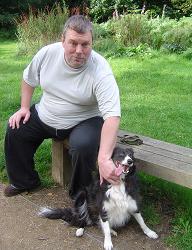
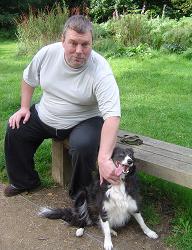
Self employed engineer, a young looking 61, working from home, seeks a younger housemate to help me take care of small bungalow, tiny garden, cat and dog; cooking optional. I can't afford to pay a salary as such but am offering rent-free accommodation, no bills, food, drink and basic living expenses supplied. I am physically limited by a mild heart problem and being very overweight. This and medication have left me impotent so I am 100% bottom. I am masculine but loving and caring. A young top/versatile guy who likes chubby men and lots of cuddles would therefore be ideal. I'm a nice easygoing bloke, if a bit geeky: my interests are science, maths, astronomy, nature, classical music, old jazz/ballads/reggae and good movies. I like to dine in/out and would love a genuine companion to spend my time with. Please only contact me if you are able to live in the UK long term and are not drugs/alcohol dependent. Smoking is not a problem but has to be outside.