

Skip to content
View in the app

A better way to browse. Learn more.

House Boy

A full-screen app on your home screen with push notifications, badges and more.

To install this app on iOS and iPadOS
  1. Tap the Share icon in Safari
  2. Scroll the menu and tap Add to Home Screen.
  3. Tap Add in the top-right corner.
To install this app on Android
  1. Tap the 3-dot menu (⋮) in the top-right corner of the browser.
  2. Tap Add to Home screen or Install app.
  3. Confirm by tapping Install.

LONDONjack

Members
  • Joined

  • Last visited

  1. @Buck52 you’re right, it does take a real man to hold his hands up and admit where you got things wrong. That action alone speaks volumes to the kind of gent you are - thank you for making the effort by putting it right in this post.
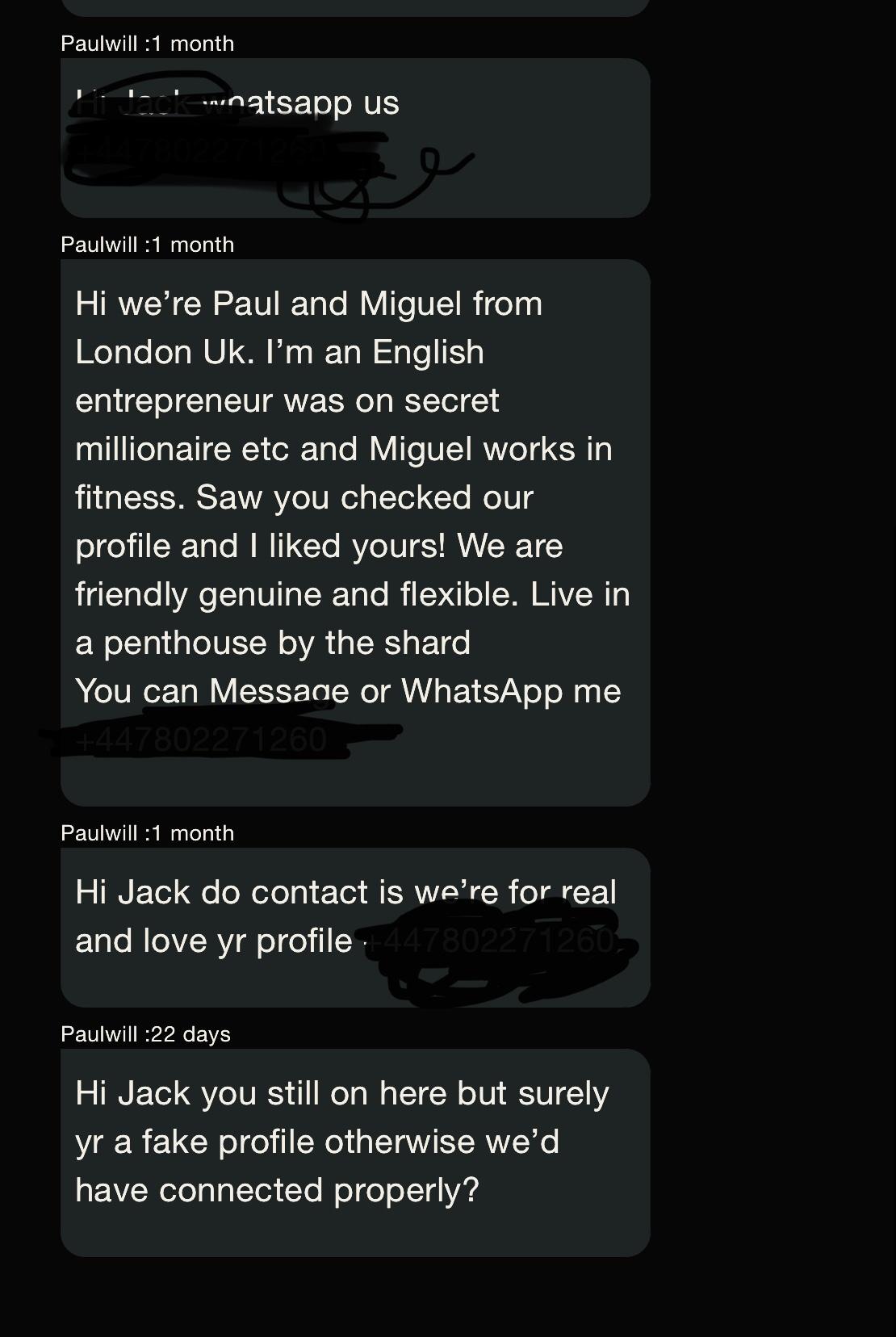
  2. Won’t let me attach our WhatsApp conversation due to the file size being too big: - we spoke, you asked me to do an online questionnaire. - you asked if we could meet, during lockdown. - you suggested FaceTime - I agreed to. however because I didn’t respond within 1hr, then I got sent a message accusing me of being “fake and pervy”.
  3. Erm, a bit unfair guys: @Paulwill yes we both live in the same city, but by default that doesn’t mean we’re compatible - you messaged me several times during lockdown, asking for a meet - if I didn’t respond within 20-30 minutes then I’d get a “oh you must be fake” message. Despite me telling you I was busy working and free to chat at XX time. Just because we didn’t meet, it’s unfair for you to start posting about me being fake. fake and incompatible are two totally different things. @Buck52 - not sure if you have me confused, I have not And have never blocked you. We exchanged a few messages - nothing developed or there was no “line of questioning” in my mails.

Account

Navigation

Search

Search

Configure browser push notifications

Chrome (Android)
  1. Tap the lock icon next to the address bar.
  2. Tap Permissions → Notifications.
  3. Adjust your preference.
Chrome (Desktop)
  1. Click the padlock icon in the address bar.
  2. Select Site settings.
  3. Find Notifications and adjust your preference.